

Got Android? Start Rating Even Faster!
Wednesday, December 22, 2010 | 3:59 PM
Labels: Hotpot Blog, how to, mobile
Ever felt the need to leave a Hotpot review as soon as you’ve put down your silverware or signed the bill? You can on your Android-powered device with the Google Rate Places Widget!
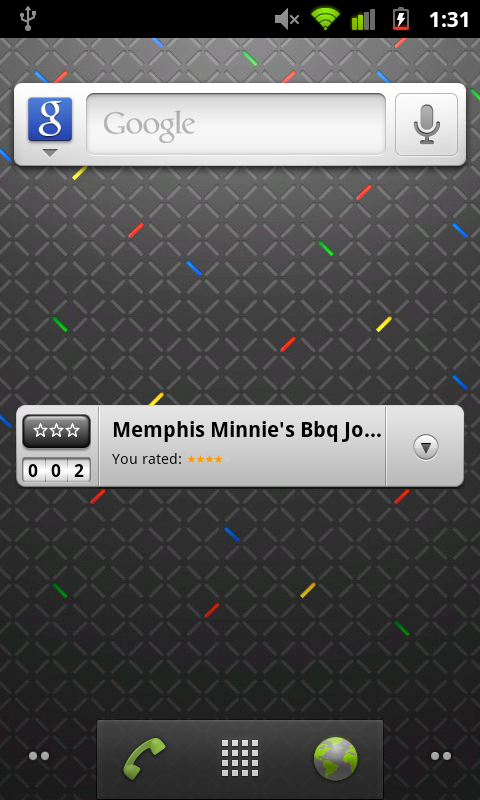
You may have heard of the recent changes we’ve made to Google Maps for mobile on Android. While the new 3D and caching features in version 5.0 are supremely nifty, I want to call out the Rate Places widget that’s been included with the Maps app since version 4.7. This widget can be installed on your phone’s Home Screen, and it automatically searches for places near your location, enabling you to give quick, convenient ratings while feedback’s still fresh in your mind (or in your stomach).
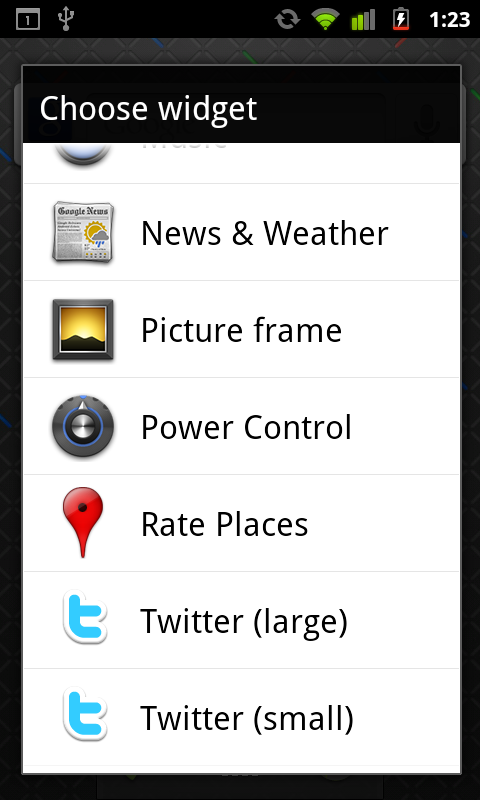
If you’ve ever installed an Android widget on your Home Screen, you know the process is simple and straightforward, and the Rate Places widget is no different. From your Home Screen, simply touch Menu > Add > Widgets, and then scroll through the list and select Rate Places. The widget will appear on your Home Screen, and you can move it around to any pane you’d like: